Understanding the Shopping Tab
Last updated: March 31, 2026
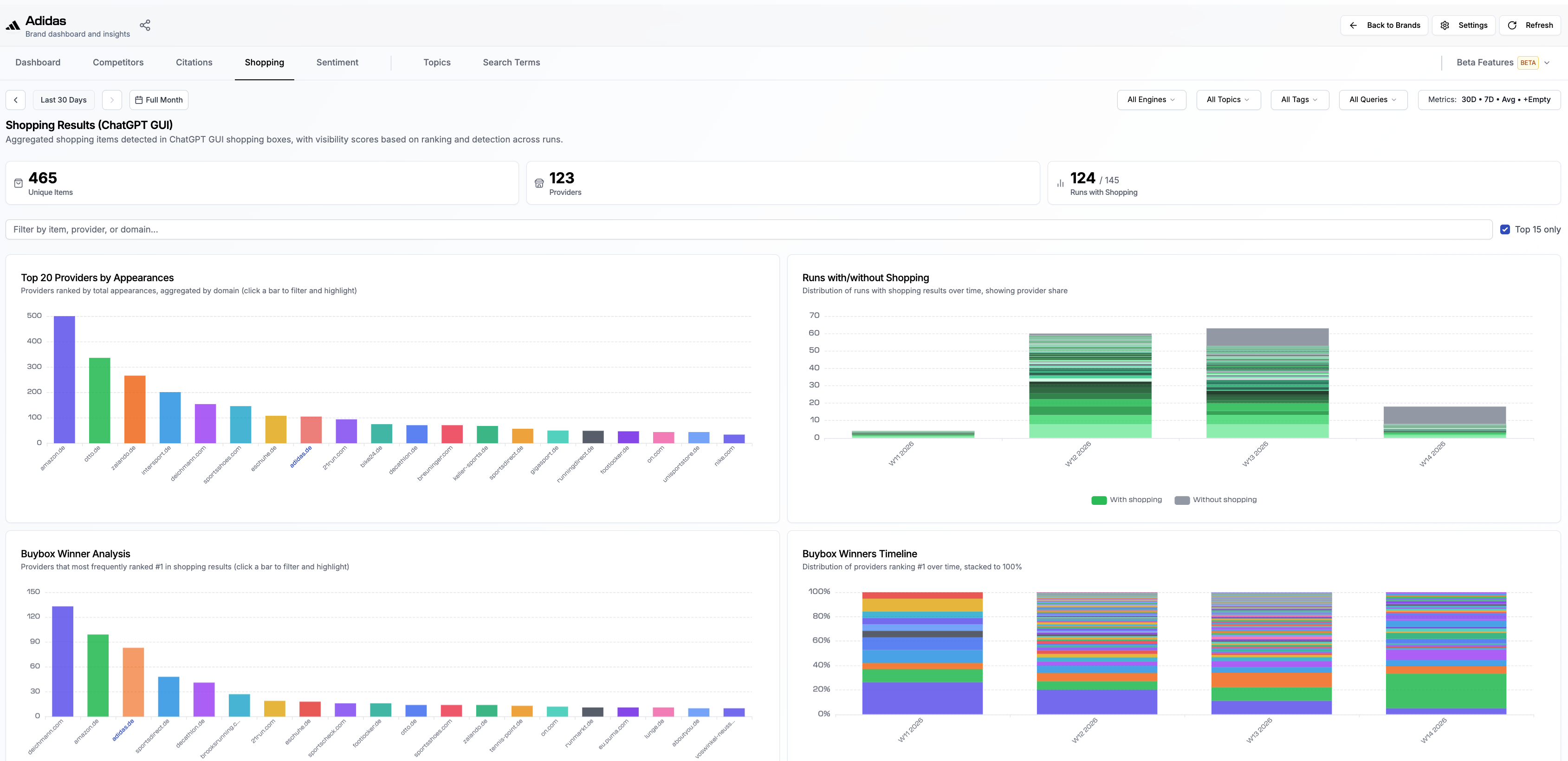
The Shopping tab shows shopping items detected in AI engine shopping boxes, with visibility scores based on ranking and detection across runs.
Why It Matters
When users ask product-related questions, AI engines like ChatGPT can return shopping results alongside their text answers. The Shopping tab lets you see which providers and products appear in these results, how often they show up, and where your own distribution channels rank relative to other retailers.
Summary Cards
At the top of the tab, three summary cards give you a quick overview:
Unique Items - the total number of unique shopping items detected across your tracked search terms
Providers - the total number of providers/retailers found in shopping results
Runs with Shopping - how many of your tracked runs included shopping results out of the total number of runs
Filtering
You can filter the Shopping tab using the same filter bar as other tabs: by AI engine, topic, tag, or search term. An additional text filter lets you search by item, provider, or domain. A Top 15 only checkbox narrows the view to the most prominent results.
What you see:
Top 20 Providers by Appearances
Providers ranked by total appearances in shopping results, aggregated by domain. Click a bar to filter and highlight. This shows you which retailers dominate AI shopping results for your tracked search terms.
Runs with/without Shopping
Shows the distribution of runs with and without shopping results over time, including provider share. The green portion represents runs where shopping results appeared, and the gray portion represents runs without. This helps you understand how frequently AI engines return shopping results for your search terms.
Buybox Winner Analysis
Shows which providers most frequently ranked #1 in shopping results. The Buy Box winner is the provider that appears first in the shopping results for a given query. Click a bar to filter and highlight.
Buybox Winners Timeline
Shows the distribution of providers ranking #1 over time, stacked to 100%. This helps you see whether the top position is consistent or shifting between providers.
Search Terms Affected
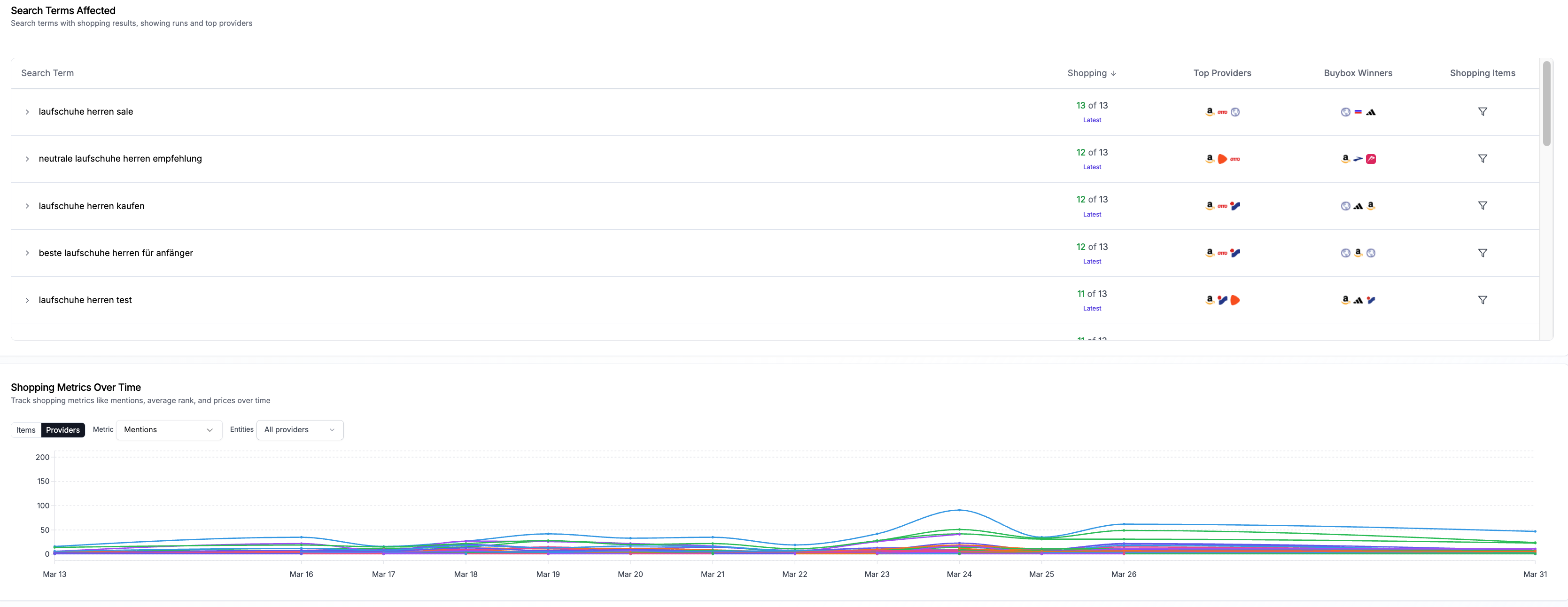
A table listing all search terms that triggered shopping results. Each row shows:
The search term
How many runs included shopping results (e.g., "6 of 6")
The top providers for that search term (shown as icons)
The Buybox winners (shown as icons)
A filter to view the shopping items for that specific search term
Shopping Items
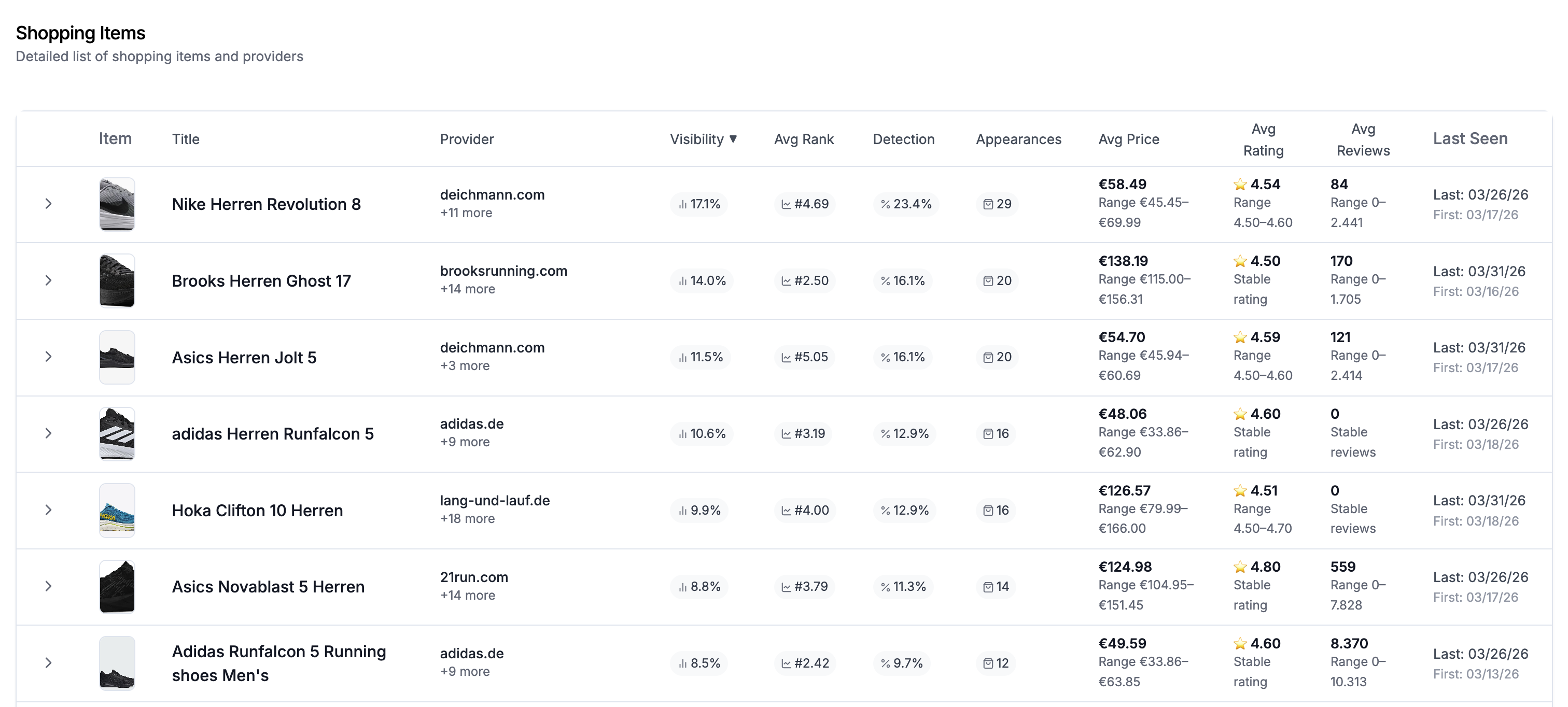
A detailed list of all individual shopping items detected. Each item shows:
A thumbnail image and product title
The provider domain
Visibility score (percentage)
Average rank position
Detection rate (percentage)
Number of appearances
Average price (with range if it varies across runs)
Average rating (star rating)
Average number of reviews
Last seen date
Stability indicators for pricing, rating, and reviews (labeled as "Stable" when consistent)
Top Providers (overall)
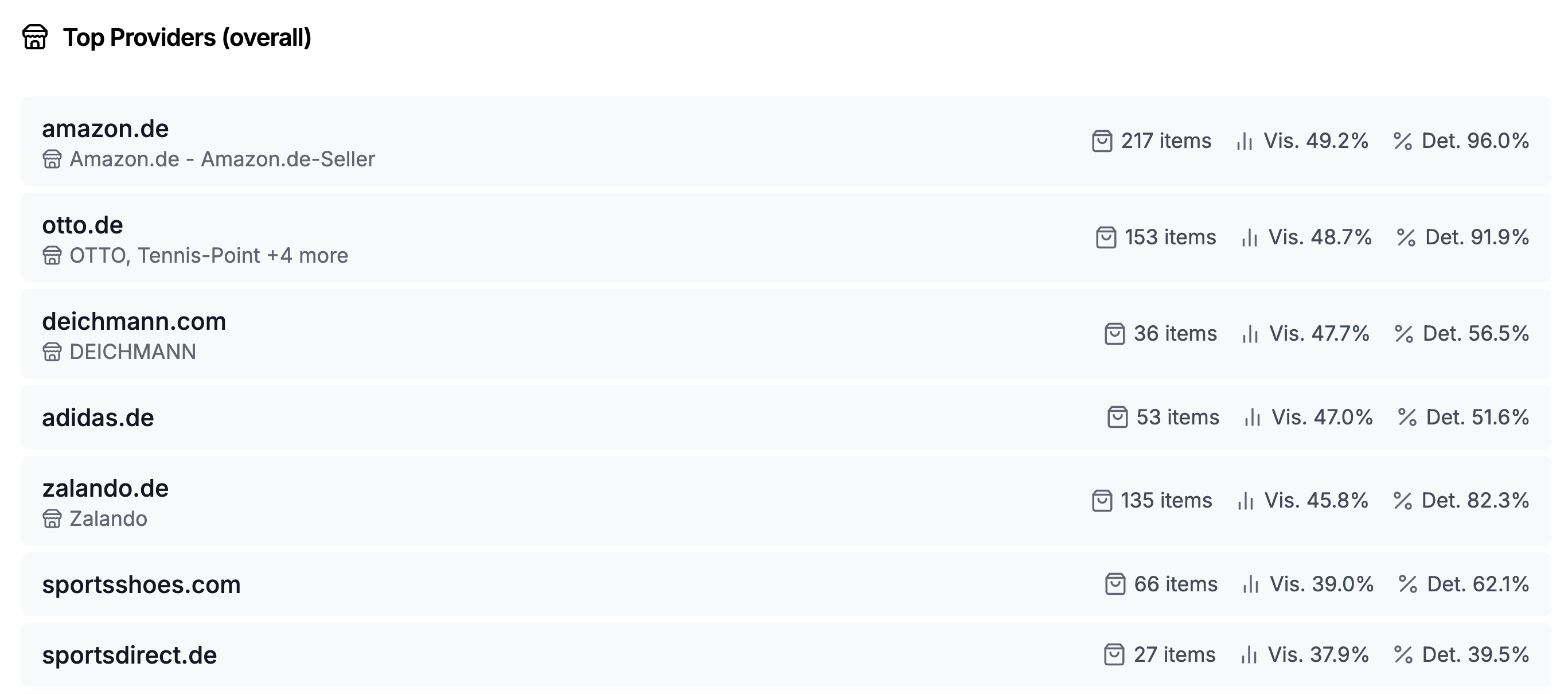
A ranked list of all detected providers, showing:
The provider domain and brand name
Total number of items from that provider
Visibility score (percentage)
Detection rate (percentage)
Related Articles
📄 Understanding the Citations Tab