Understanding the Sentiment Tab
Last updated: March 31, 2026
The Sentiment tab shows how AI engines talk about your brand and your competitors. RankScale analyzes the actual AI responses to your tracked search terms and categorizes the language used as positive, negative, or neutral, giving you a clear picture of how each brand is perceived across AI search.
Why It Matters
AI engines do not just mention brands, they describe them. The words and phrases an AI engine uses when talking about your brand shape how potential customers perceive you. If an AI engine consistently associates your brand with "high prices" or "limited features", that affects buying decisions. The Sentiment tab helps you see exactly what is being said, where it comes from, and which areas need attention.
Sentiment Overview by Brand
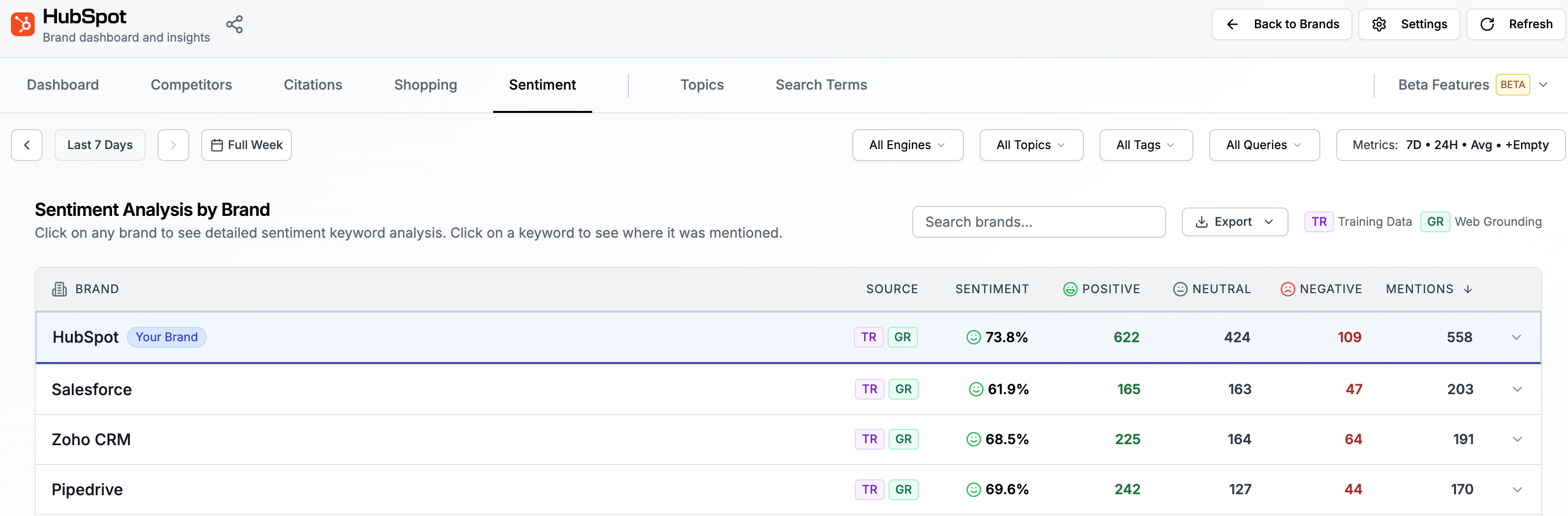
The main view shows a list of all detected brands, including your own and competitors. Each row displays:
The brand name
The overall sentiment score (as a percentage)
The count of positive sentiment (in green), neutral sentiment, and negative sentiment (in red)
The total number of mentions of the brand
This gives you a quick comparison of how AI engines talk about you versus your competitors.
Keyword and Attribute Detail
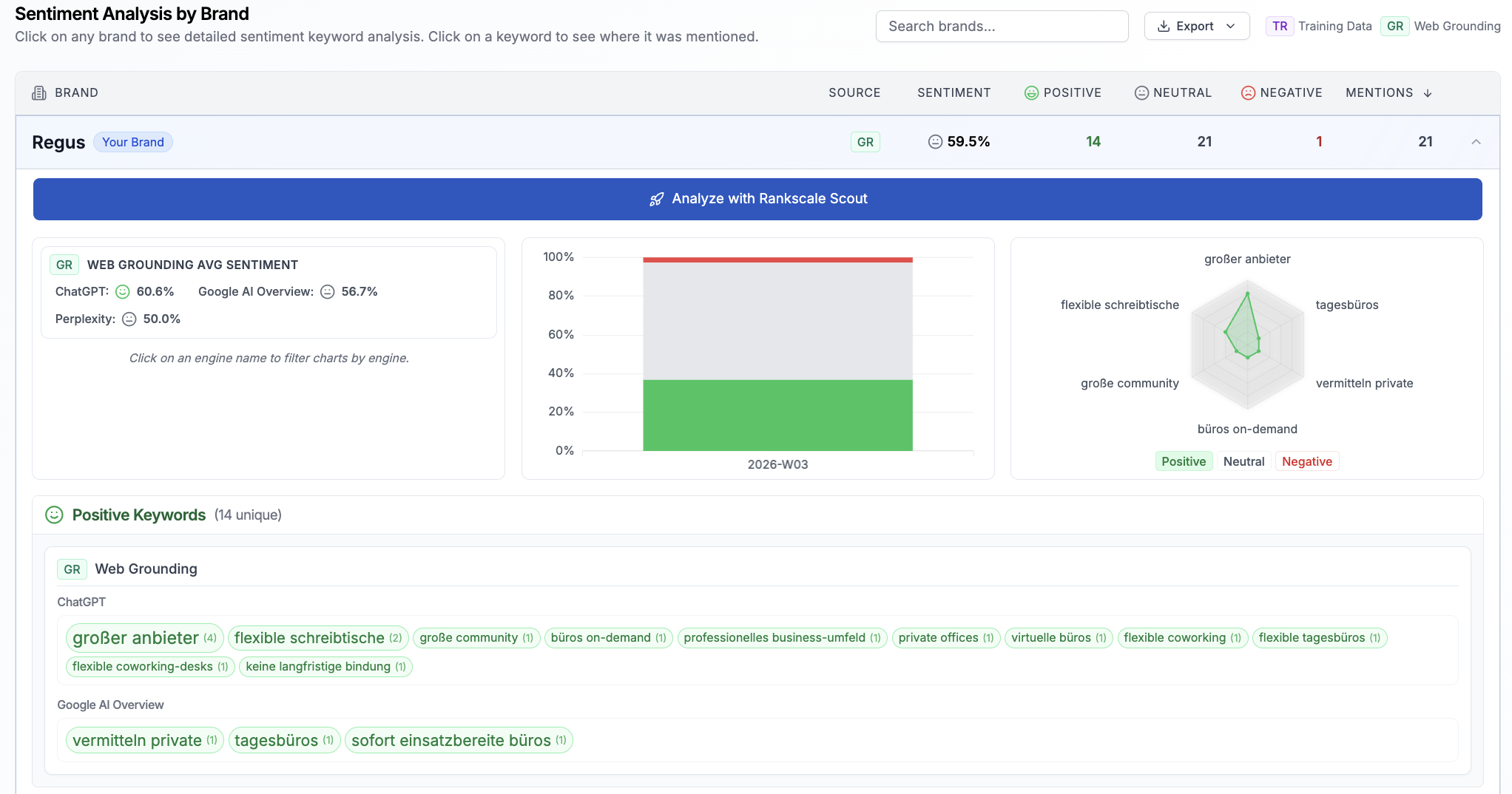
For a deeper view, click on a brand to see the specific keywords and attributes that AI engines used when describing it. Each keyword is categorized as positive, negative, or neutral.
You can:
Filter by sentiment type to focus on negative or neutral keywords only
View the distribution of keywords using the spider icon
Switch between AI engines to see whether sentiment differs across engines
This helps you identify the exact language AI engines associate with your brand.
Rankscale Scout Summary
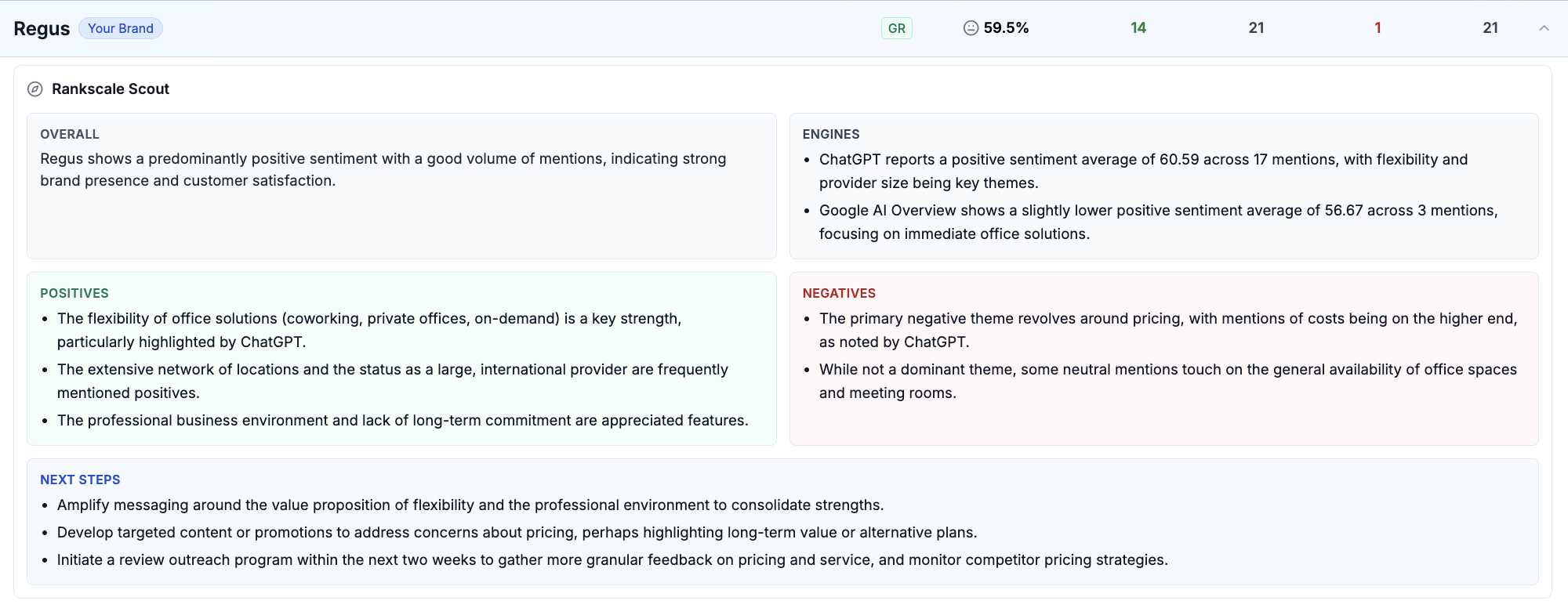
Click on any brand row to expand the Rankscale Scout summary. This provides an AI-generated analysis broken into four sections:
Overall - a general sentiment summary with context on mention volume and brand presence
Engines - a per-engine breakdown showing the sentiment average and mention count for each AI engine (for example, ChatGPT may report a different sentiment average than Google AI Overview)
Positives - the key positive themes that AI engines highlight about the brand
Negatives - the key negative themes and concerns raised by AI engines
Next Steps - actionable recommendations generated by Scout for improving sentiment
The Scout summary is available for your brand and for each competitor, so you can compare how AI engines position you relative to others.
Drilling into a Specific Attribute
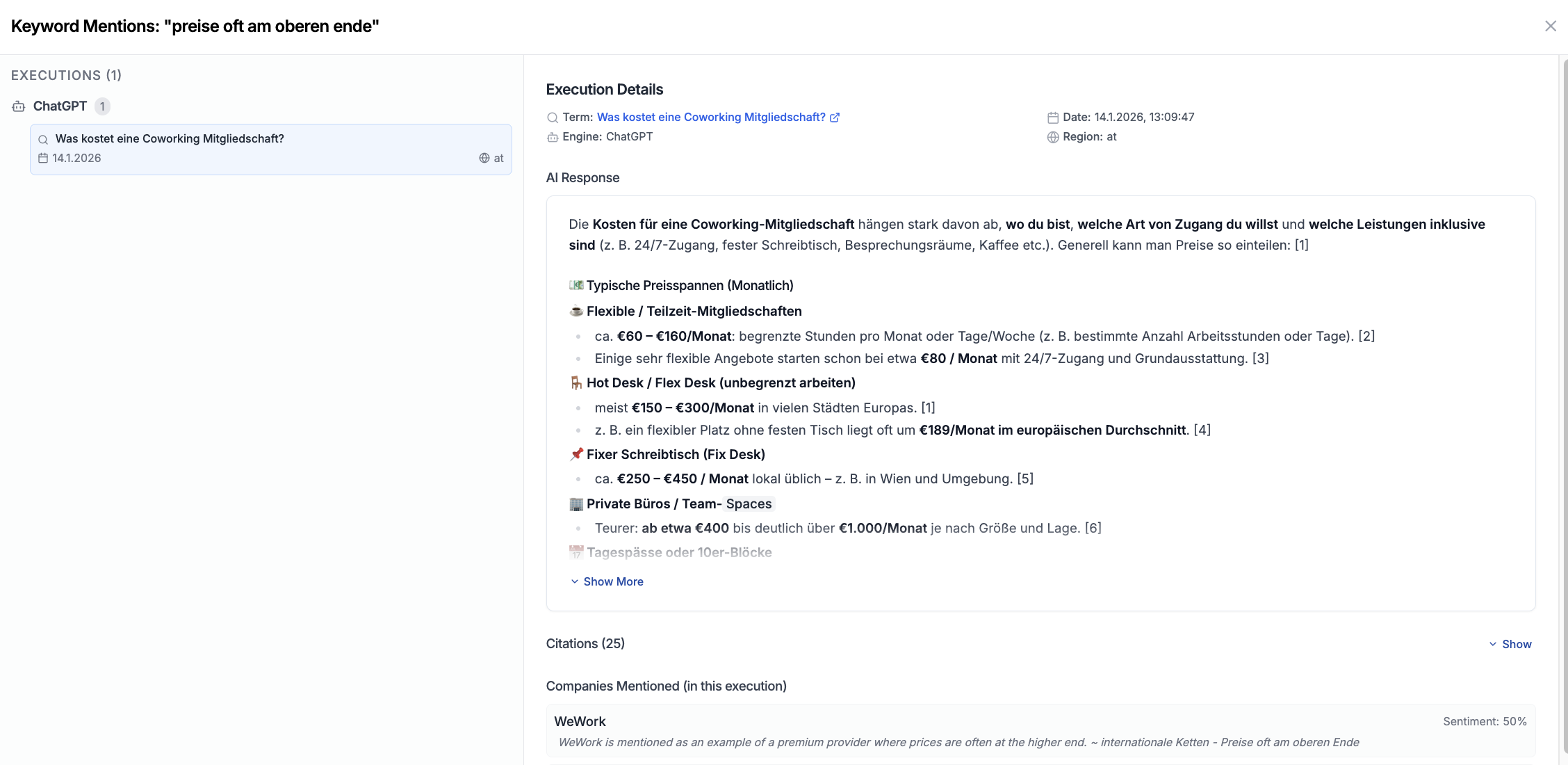
Click on any keyword or attribute (for example, "high prices") to see the exact AI responses that triggered that sentiment. The detail view shows:
The execution(s) where this keyword appeared
Which AI engine and search term produced the response
The date, time, and region of the execution
The full AI response with the relevant phrases highlighted
The citations used in that response
All companies mentioned in that execution, each with their own sentiment score
You can switch from the attribute view to the search term view to explore the citations and analysis behind that specific response. This lets you trace a sentiment all the way back to its source.
Tip: If a negative keyword appears across multiple executions and engines, it is likely driven by a widely cited source rather than a one-off response. Use the search term view to identify that source.
Related Articles
📄 Improving your Sentiment in AI-Search