Improving your Sentiment in AI-Search
Last updated: March 31, 2026
This article covers how to use the data in the Sentiment tab to identify negative perceptions of your brand and take targeted action to improve how AI engines talk about you.
Keep in mind that sentiment is based on what AI engines find across the web and in their training data about your brand. You cannot fully control how AI engines describe you, but you can identify the key contributors to negative sentiment and take steps to address them.
Before You Start
Familiarize yourself with the Sentiment tab and its metrics. See 📄 Understanding the Sentiment Tabfor an overview of what each section shows.
Identify Which Engines Need Attention
Start by expanding your brand in the Sentiment tab to open the RankScale Scout summary. The Engines section shows the sentiment average and mention count per AI engine.
If one engine has a noticeably lower sentiment score than others, it may be pulling from different sources or weighting certain content more heavily. Knowing which engine is the problem helps you focus your efforts.
Tip: Compare your per-engine sentiment with your competitors. If a competitor scores higher on a specific engine, check what sources that engine cites for them versus for you.
Find the Most Damaging Attributes
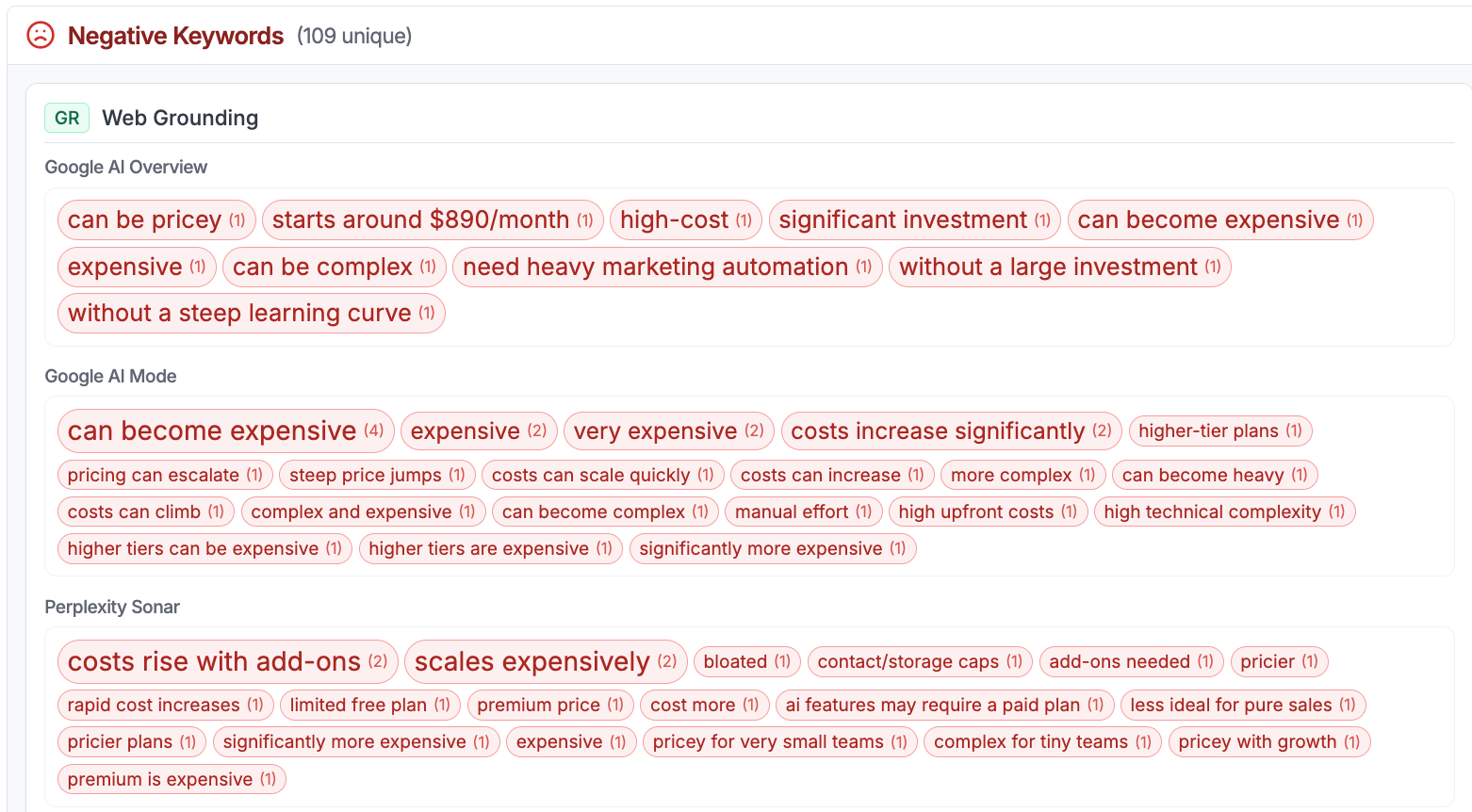
Open the keyword detail view for your brand and look for attributes that:
Appear frequently across multiple executions
Show up across more than one AI engine
Contain factually incorrect claims (for example, wrong pricing or outdated product information)
These are your highest-priority targets.
Trace a Negative Attribute to its Source
Once you identify a problematic attribute, click on it to see the exact AI responses that triggered it. From the detail view:
Review the full AI response to understand the context of the negative sentiment.
Check the Citations listed in the response to see which sources the AI engine used.
Switch to the search term view to explore the full citation and source analysis for that query.
Identify whether the negative sentiment comes from a specific source, such as a blog article, YouTube video, Reddit thread, or review site.
This trail, from attribute to AI response to citation to source, is how you pinpoint exactly where a negative perception originates.
Take Action on Negative Sources
Once you know the source, you have several options depending on the type of content. Not every negative mention can be changed, some may reflect genuine customer feedback, industry perception, or information baked into the AI engine's training data. Focus on the cases where information is inaccurate, outdated, or where you can strengthen the positive narrative around your brand.
Correct inaccurate information at the source
If the source contains factually wrong information about your brand (such as incorrect pricing, outdated features, or misleading comparisons), reach out to the content owner directly. Provide the correct information and ask for an update. Many publishers are open to corrections, especially if you can demonstrate the inaccuracy.
Publish counter-content
Write blog posts, articles, or other content that directly addresses the negative claim. For example, if AI engines associate your brand with "high prices", publish content that highlights your pricing tiers, free options, or value relative to competitors. LLM-optimized content that addresses the specific negative phrases can shift how AI engines describe your brand over time.
Strengthen positive sources
If the Sentiment tab shows that your brand also has strong positive attributes, look for ways to amplify those. Get featured on additional high-authority domains, create more content around your strengths, and make sure the positive narrative is well-represented across the sources that AI engines cite.
Monitor your Progress
After taking action, track your sentiment score over time to measure the impact.
Note your current sentiment score and negative mention count as a baseline.
After publishing new content or correcting sources, wait for your next tracking cycle.
Check whether the negative attributes have decreased in frequency or disappeared.
Review the RankScale Scout summary to see if the Positives and Negatives sections have shifted.
The goal is to progressively reduce your negative sentiment score while maintaining or growing your positive mentions.
Tip: Sentiment changes are not instant. AI engines need to re-index updated sources and incorporate new content. Check back after several tracking cycles to see the full effect of your changes.
Related Articles
📄 Understanding the Sentiment Tab