Understanding the Competitor Tab
Last updated: April 2, 2026
RankScale does not only track your own brand, it also tracks your competitors across every AI engine. The Competitor Tab gives you a complete view of how other brands appear alongside yours in AI-generated responses.
Filtering your View
At the top of the Competitor Tab, you can filter the data to focus on what matters most. Filter by topics, tags, specific queries, AI engines, and time frame to narrow down the results to your liking.
Competitor Performance Metrics
The Competitor Tab shows you the same metrics you are used to from your Brand Dashboard, but for each of your competitors. This includes visibility scores, position rankings, sentiment, detection rates, mentions, and citations, so you can directly compare how competitors perform relative to your brand.
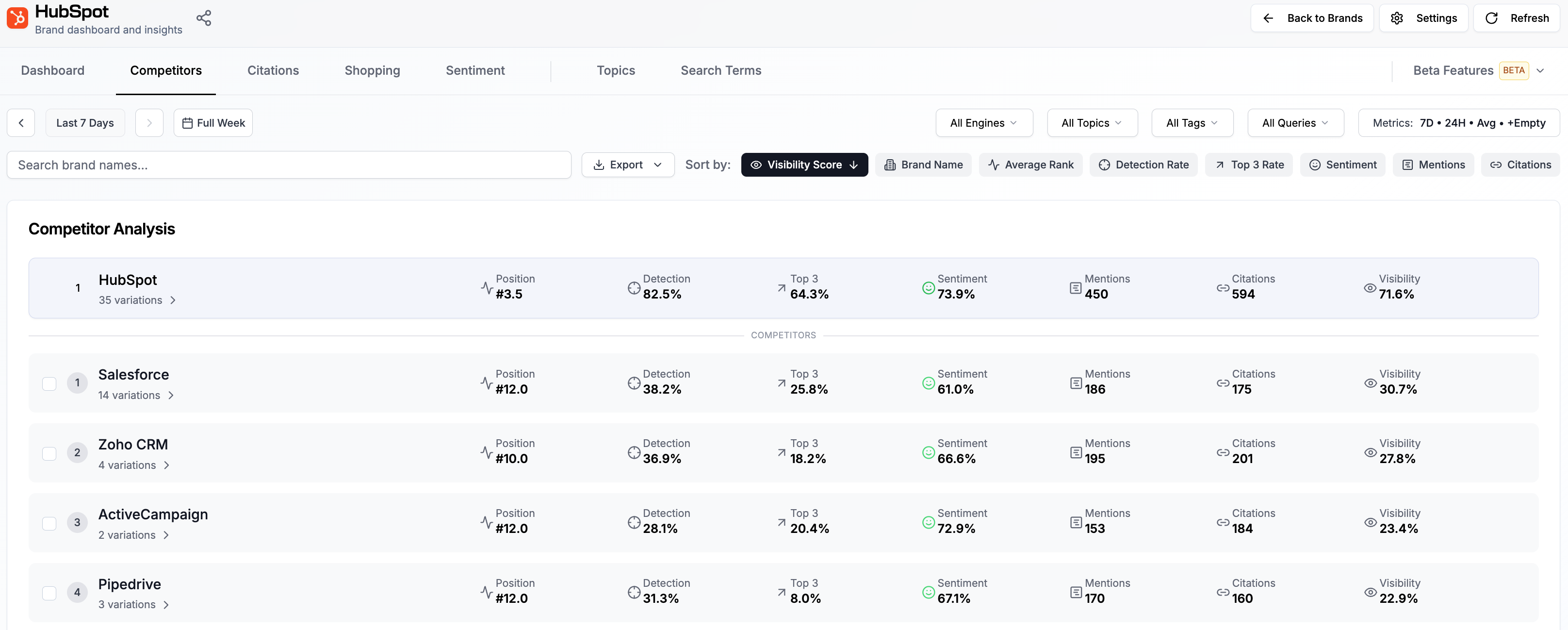
Drilling into the Details
Click on any competitor or on your own brand to see a detailed breakdown. This view shows you gives you detailed insights into how you or your competitors performed in individual queries.
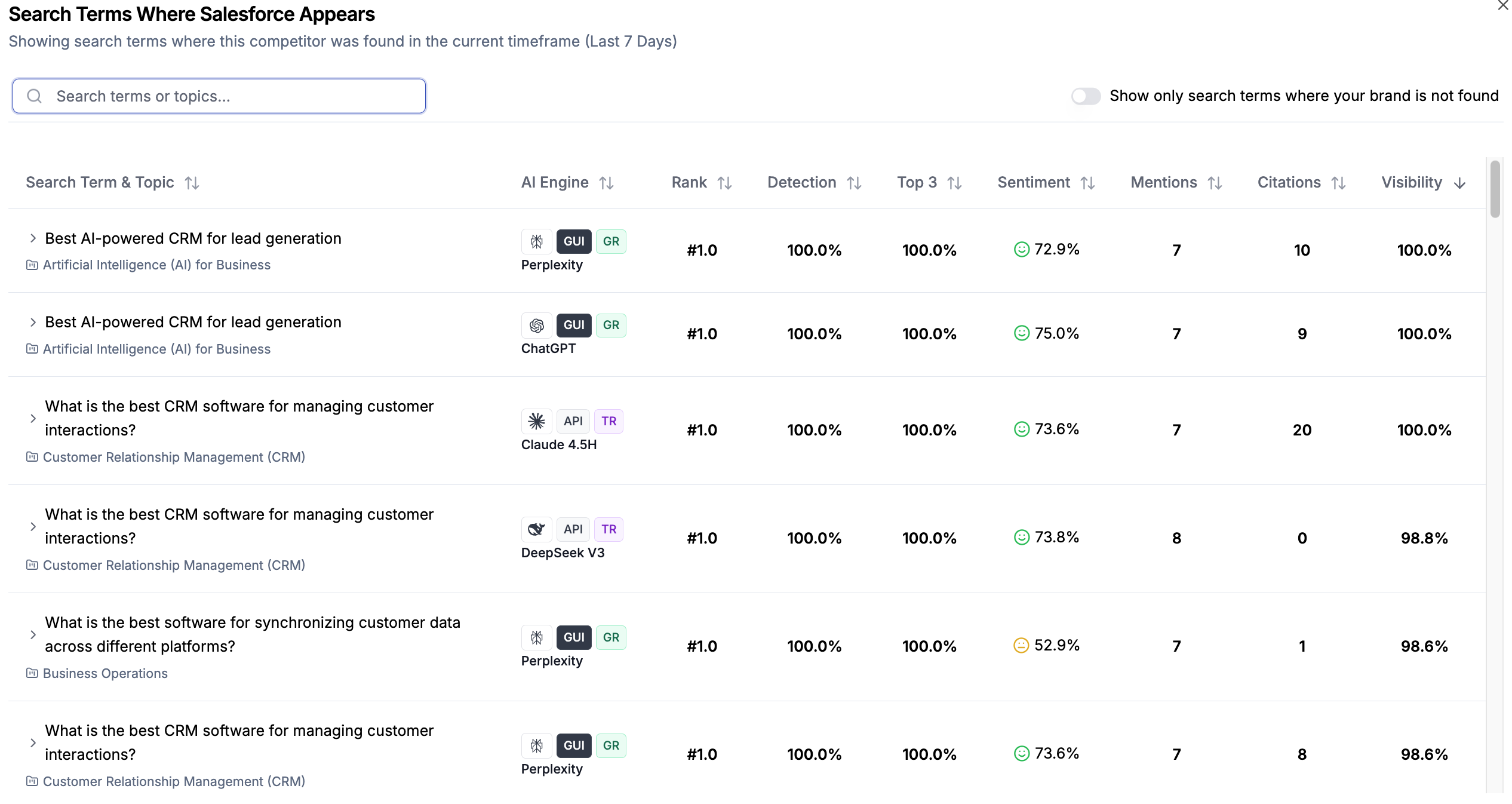
For more detailed insights on individual search term results, see 📄 Understanding your Search Term Results
Best Practices for Competitor Analysis
Review competitor data weekly to stay on top of market shifts
Focus on competitors with consistently high visibility - they represent the real competitive landscape
Use topic-level filtering to find niche opportunities where competitors are weak
Compare sentiment scores to understand how AI engines perceive your brand vs. competitors
Track your competitive position over time rather than focusing on single data points